
Compliance Intelligence for Fleet Operations
Transforming fragmented driver documentation into a structured, decision-ready system that improves visibility, reduces compliance risk, and enables operational control.
Reduced friction
Streamlined document access and eliminated manual tracking across workflows → faster document handling and fewer operational delays.
Improved visibility
Centralized document status and provided real-time compliance insights → clearer risk awareness and fewer missed compliance issues.
AI-assisted workflow
Enabled proactive identification of missing and expiring documents → reduced compliance gaps and faster issue resolution.


Context
Fleet operations depend on accurate driver documentation to maintain compliance and avoid disruptions.
Documents were scattered across the platform, making it difficult to track expirations, missing files, and compliance risks.
My Role
Led the design end-to-end as the sole product designer, defining workflows, information architecture, and interaction logic.
Collaborated closely with engineers to ensure feasibility, consistency, and smooth integration into the system.
Scope
Designed a centralized document management flow within the driver profile to improve access and usability.
Focused on simplifying navigation, reducing cognitive load, and enabling faster decisions across daily operations.
Understanding Workflow & Compliance Challenges
How fragmented document access, navigation complexity, and inconsistent data visibility impacted operational efficiency — and revealed opportunities for
AI-driven decision support.
Observations
Driver documentation was distributed across multiple sections of the platform, with limited visibility from the driver profile.
This fragmentation forced users to rely on manual checks and repeated navigation, increasing effort during time-sensitive workflows.
Key Problems
The absence of a centralized document system led to frequent context switching and reduced operational efficiency.
Complex and repetitive navigation patterns increased cognitive load, slowing down compliance-related tasks and decision-making.
Design Goals
Establish a centralized, predictable document management system within the driver profile to streamline daily operations.
Reduce navigation complexity and introduce AI-driven monitoring and proactive risk detection, missing documents, and renewal needs.
Design Strategy & System Improvements
How a centralized document flow and simplified navigation reduced cognitive load and enabled AI-driven operational insights.
Solution overview
The solution introduced a centralized document flow within the driver profile, reducing navigation complexity and making compliance-critical information predictable, visible, and easier to manage at scale.
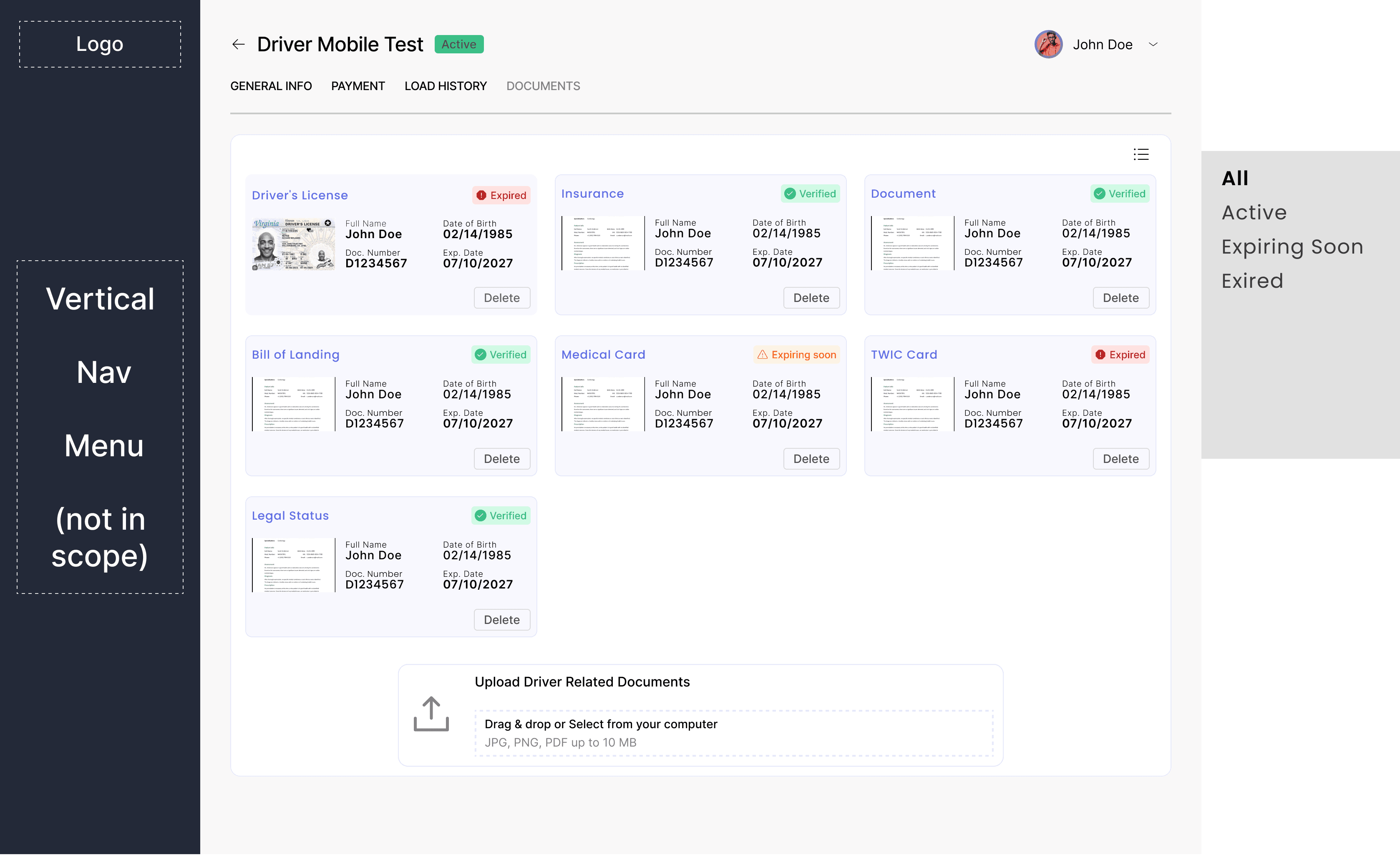
Centralized driver documents
• Consolidated all driver-related documentation into a dedicated “Documents” section within the driver profile
• Reduced context switching and eliminated manual searching across the platform
• Enabled faster access to compliance-critical information during daily operations
Structured states & AI-assisted processing
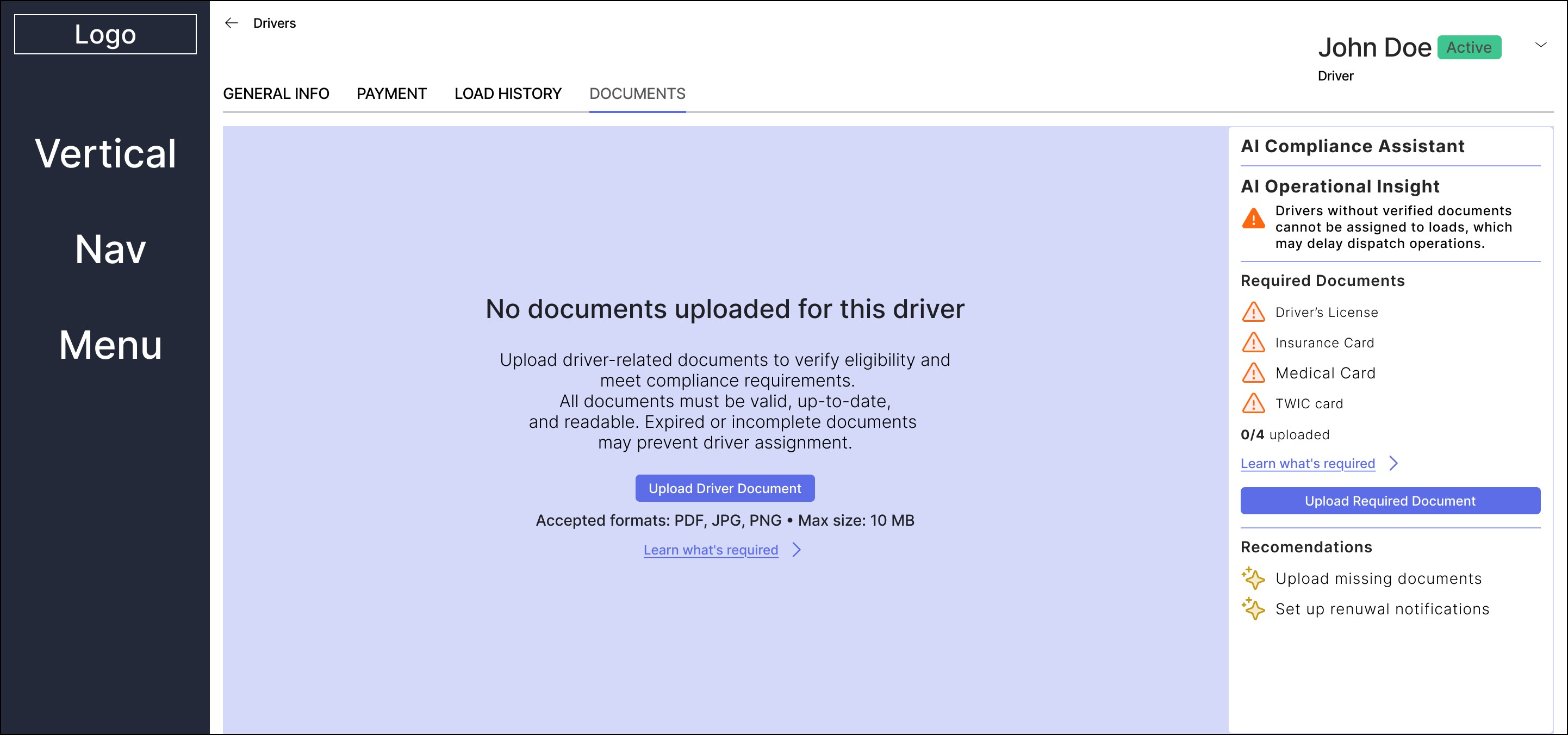
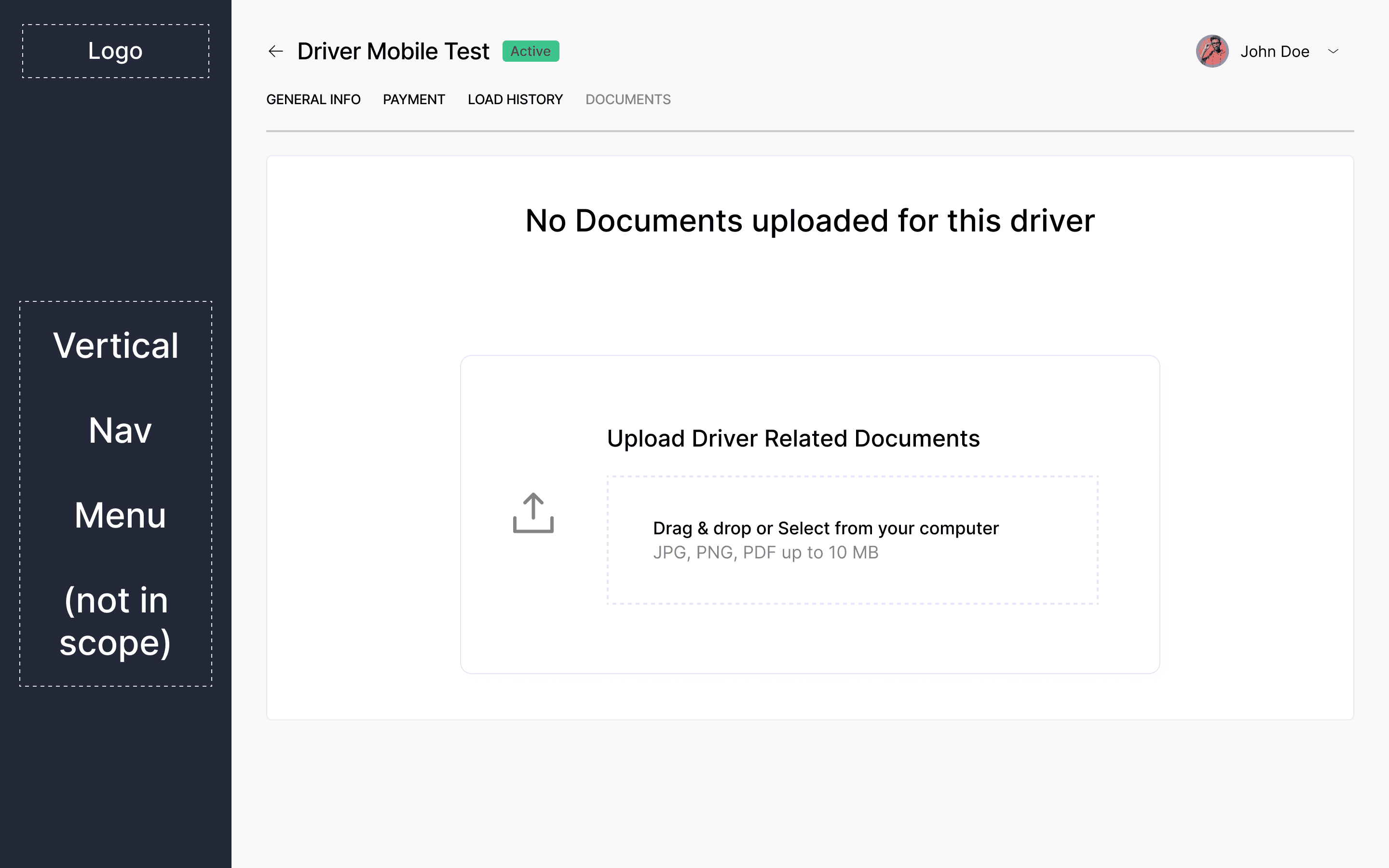
• Designed clear empty and processing states for missing or incomplete documentation
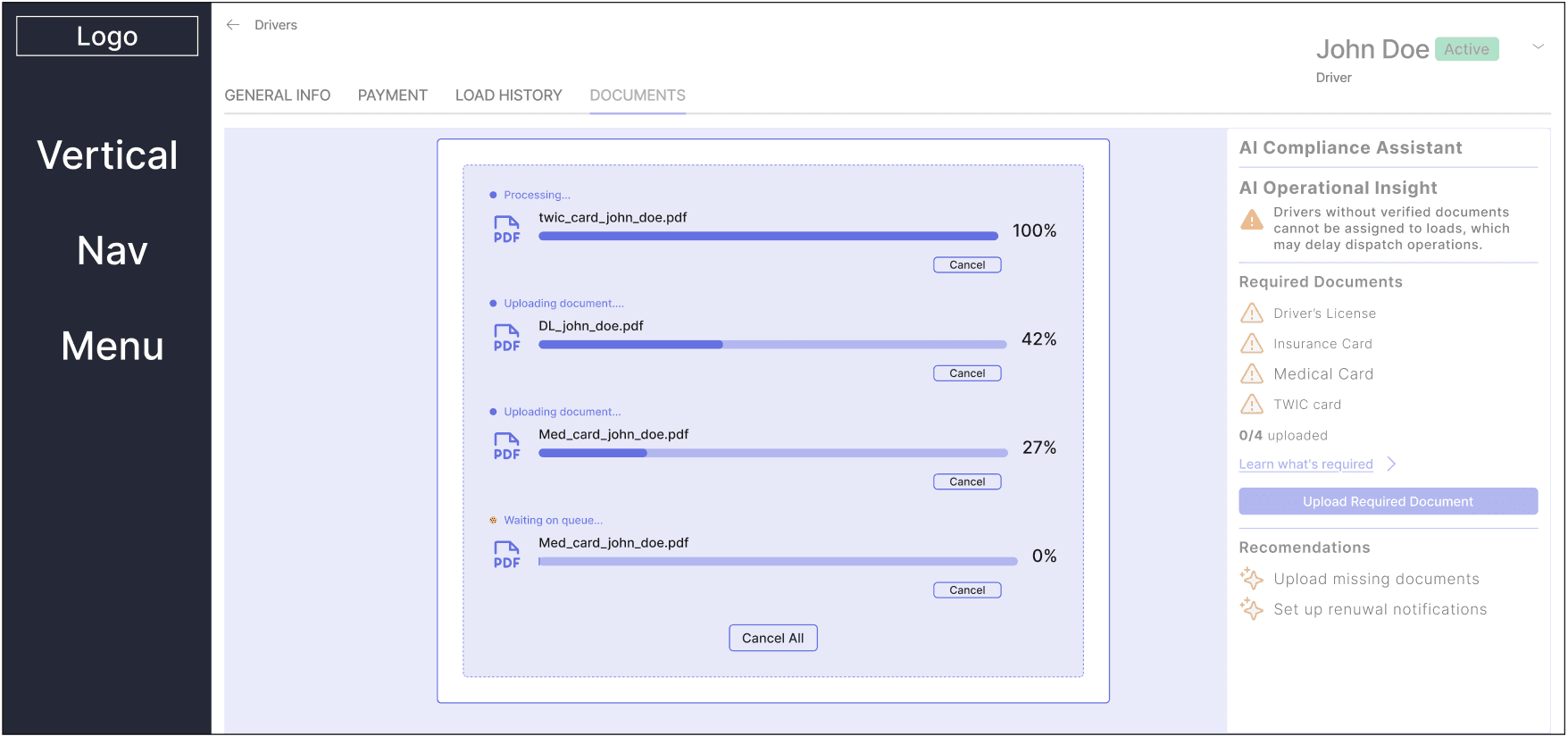
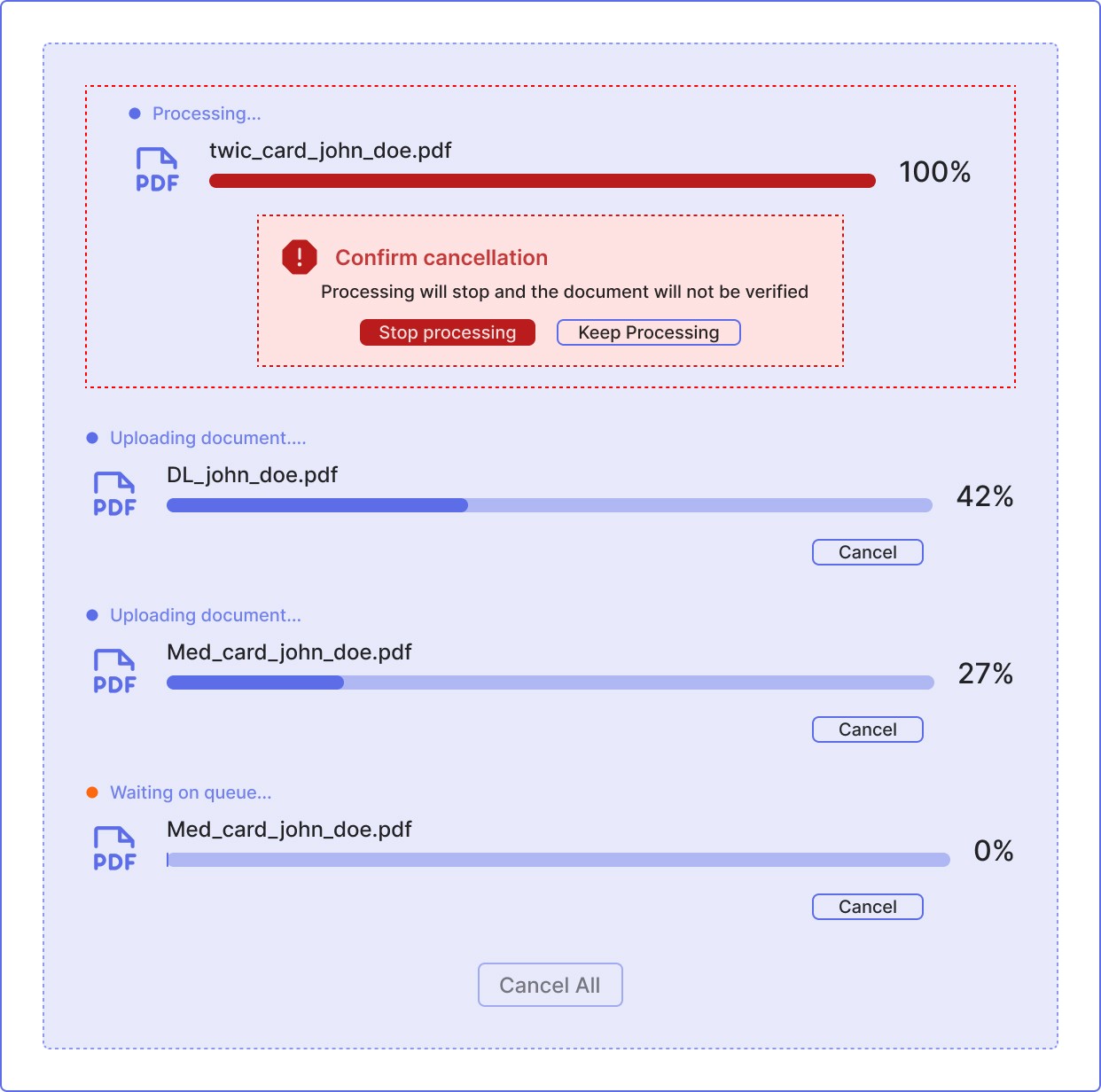
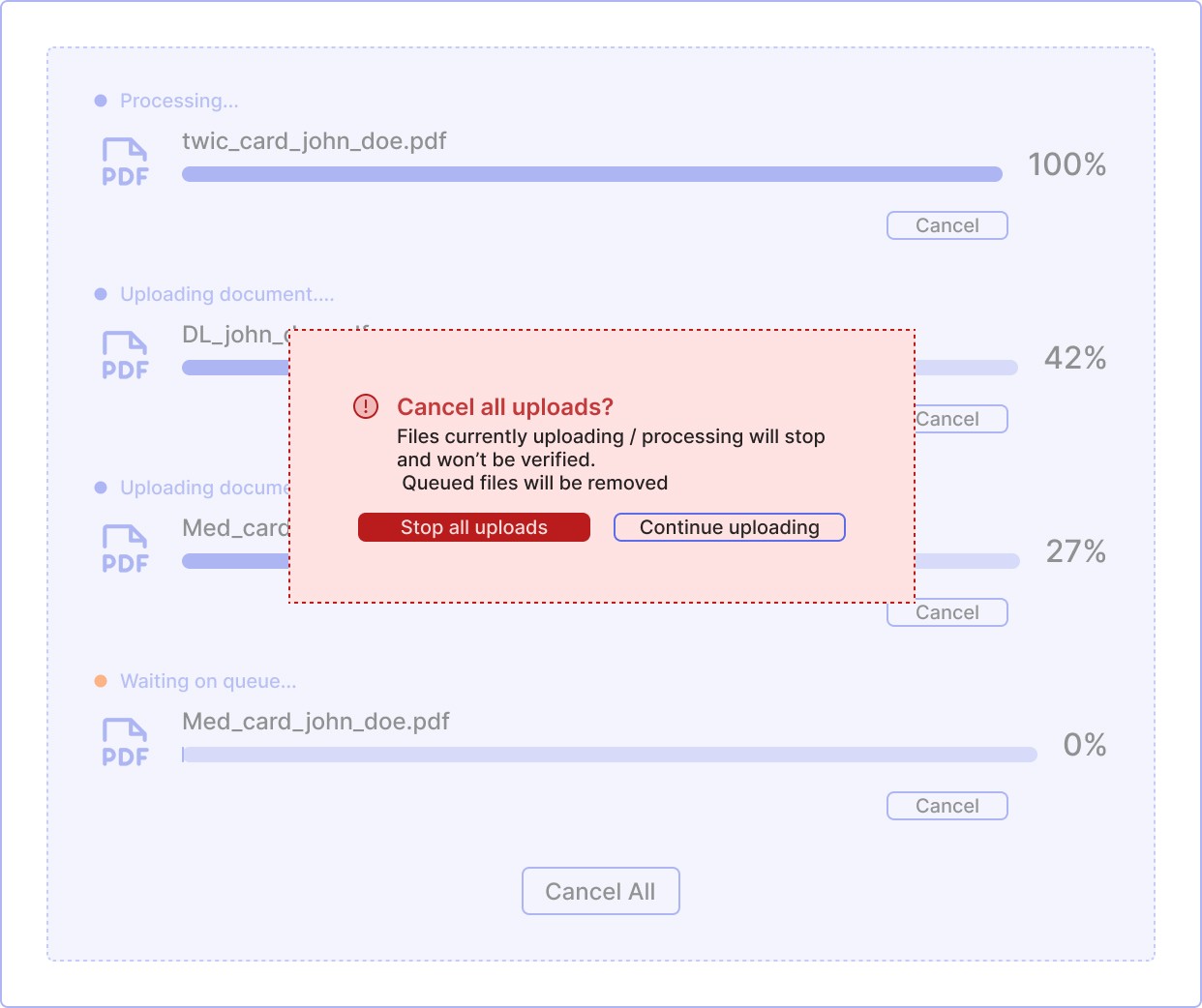
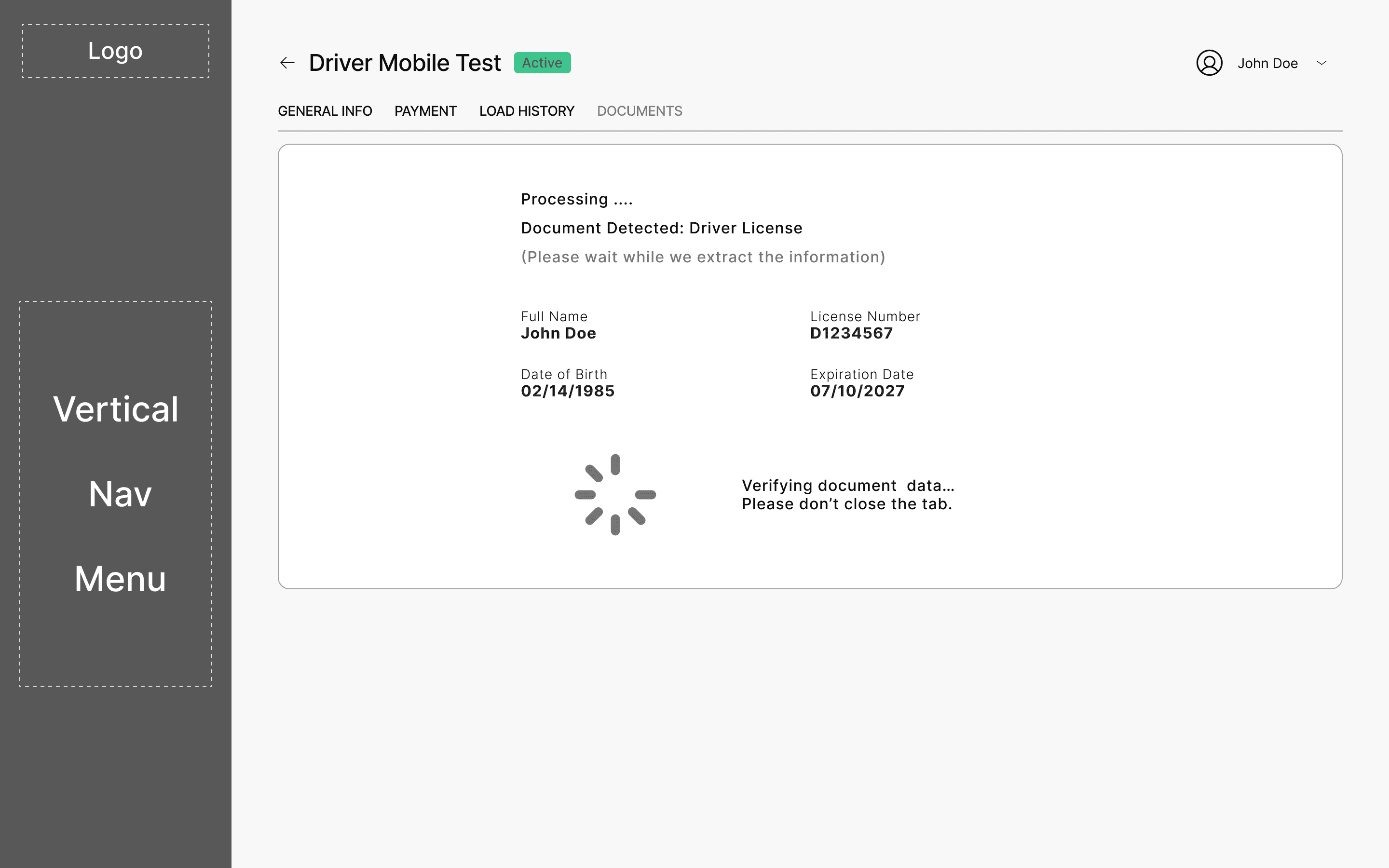
• Introduced system feedback for uploads and AI-assisted document evaluation
• Reduced uncertainty by surfacing document status, risks, and next required actions
Navigation simplification (recommendation)
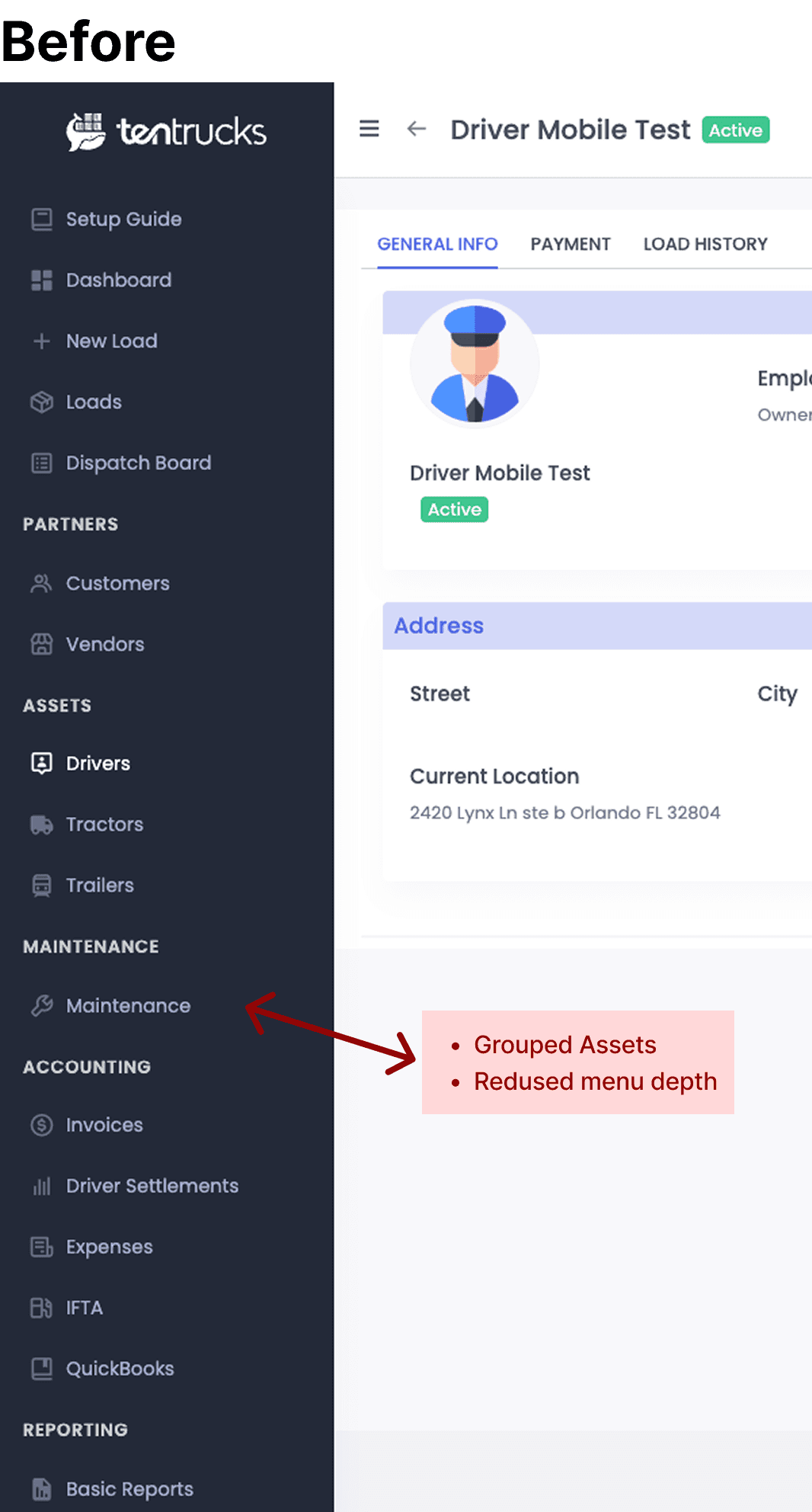
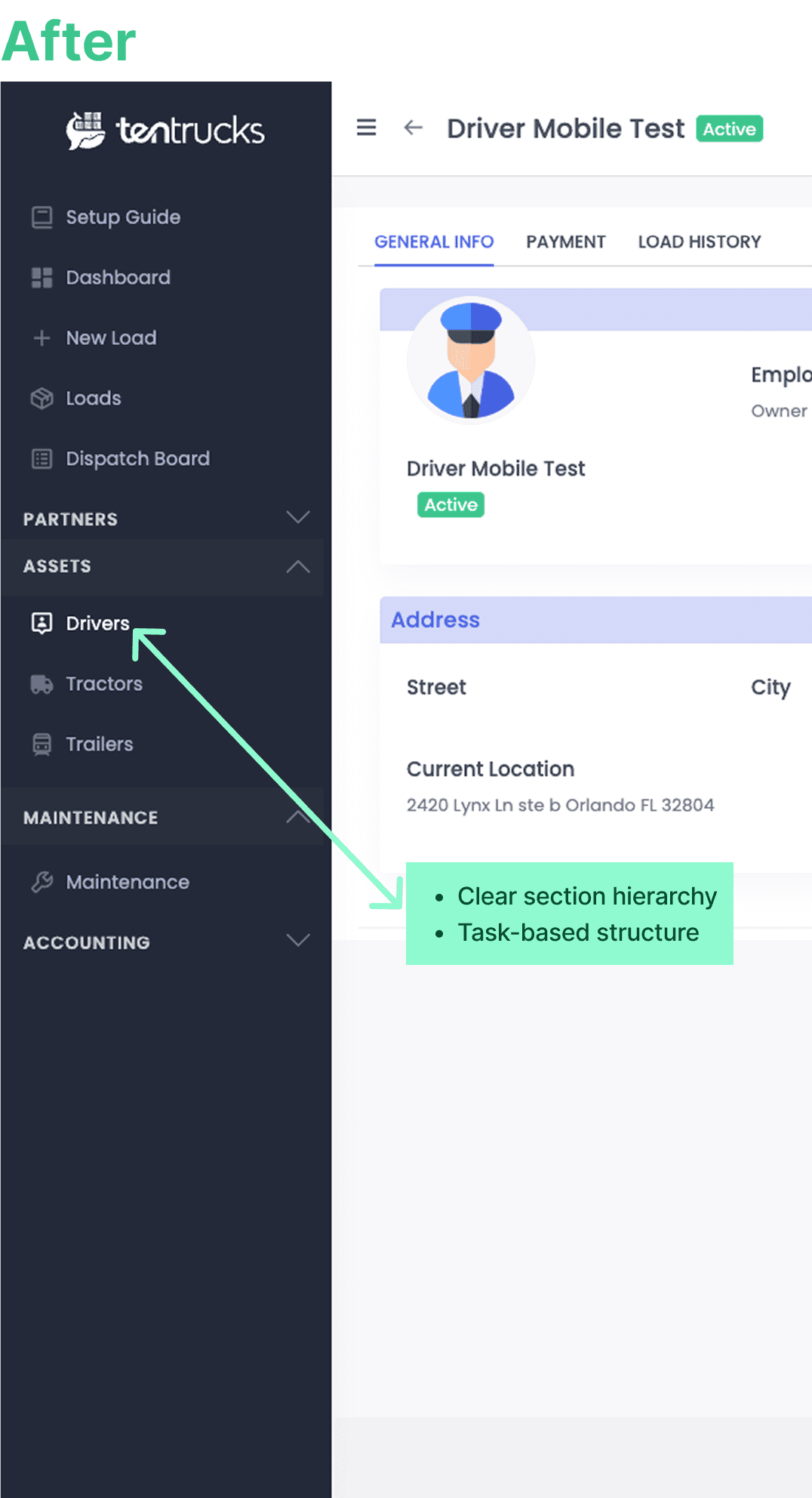
• Identified repetitive patterns and overly complex left navigation structure
• Proposed grouped navigation to reduce scanning effort and visual noise
• Validated the approach with stakeholders as a scalable system improvement
AI-Driven Compliance & Decision Support
From fragmented document management to proactive operational readiness
and decision support
The driver profile was transformed from a static information view into an operational workspace.
AI-driven insights surface compliance status, risk signals, and recommended actions directly in context — enabling faster, more informed, and proactive decision-making.
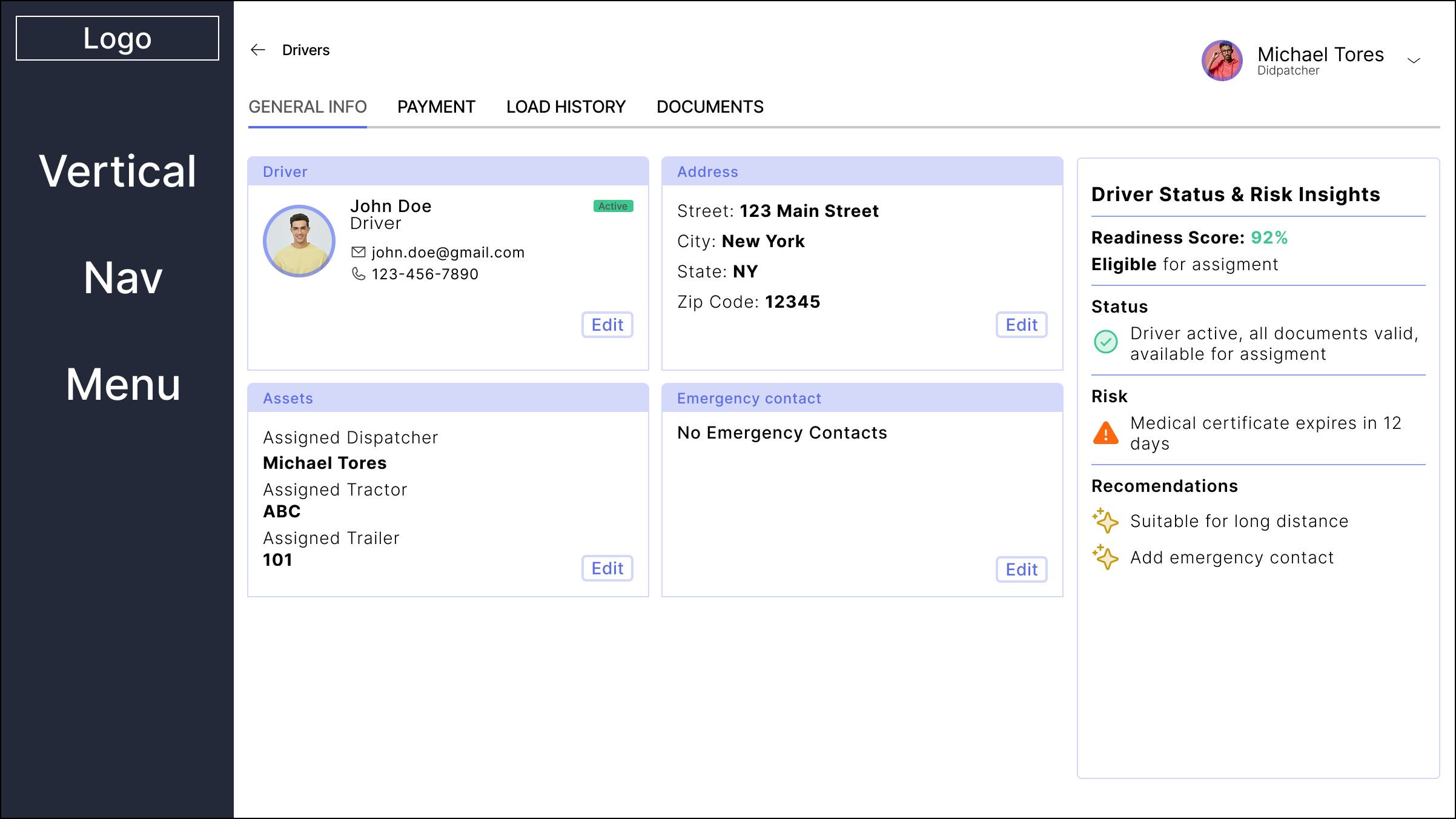
Intelligent Driver Profile as Operational Hub
Real-time compliance visibility, risk awareness, and role-specific decision support
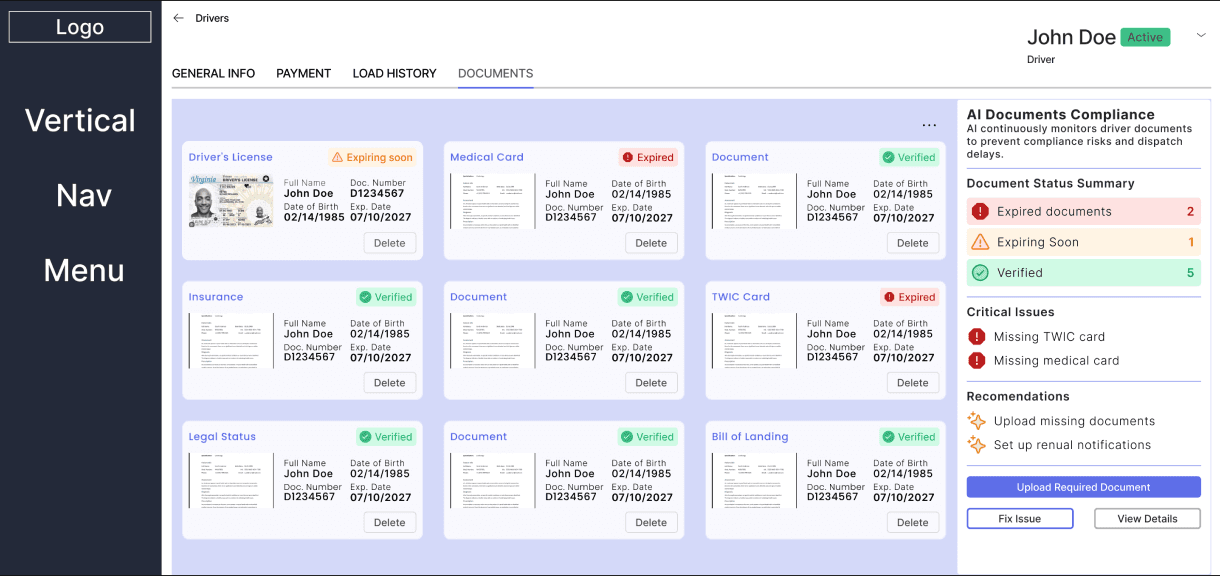
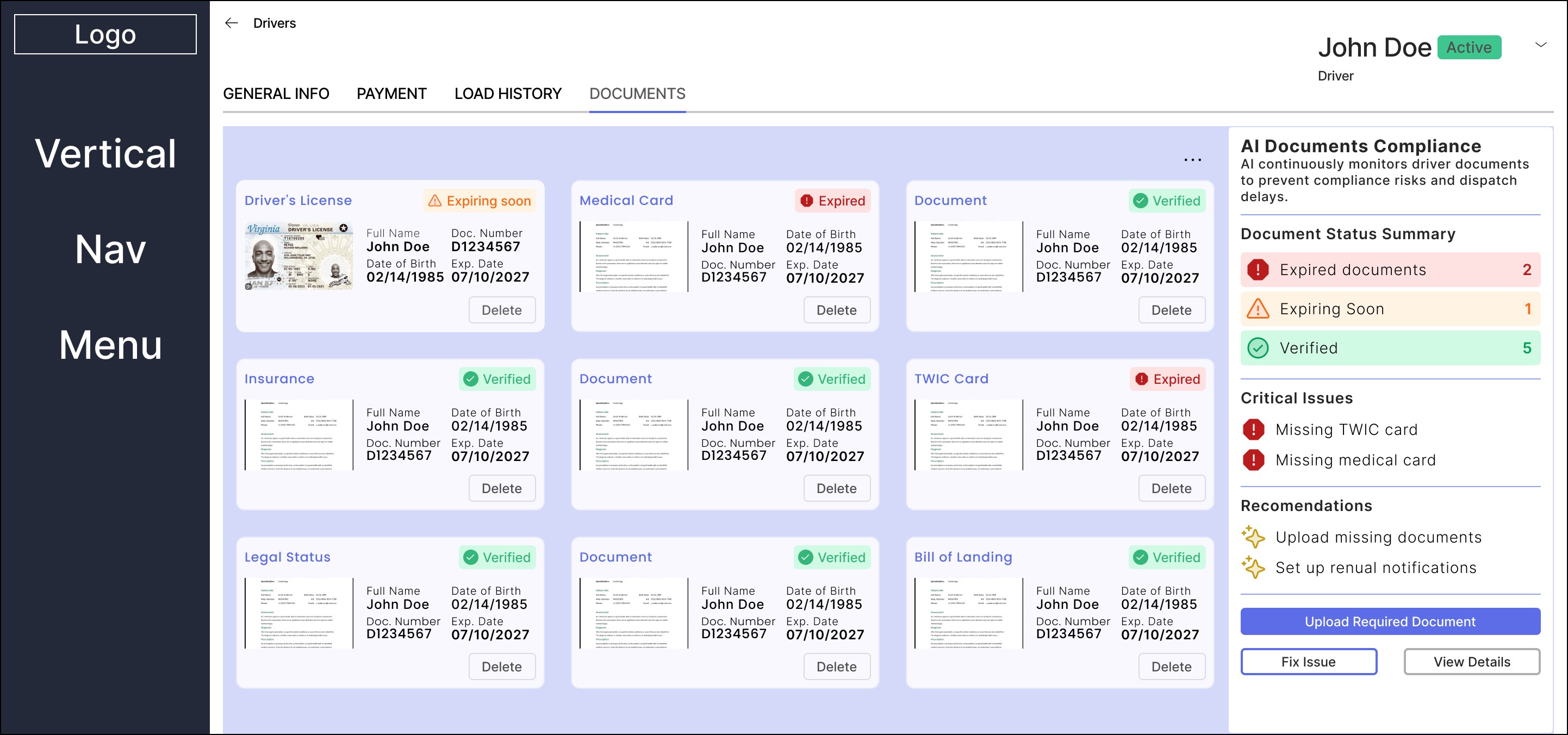
Document compliance overview
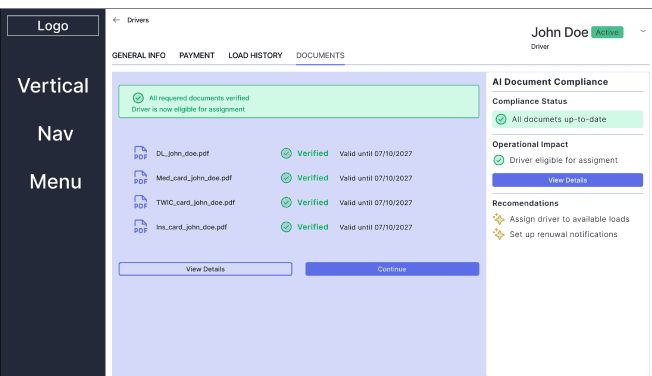
Action Required vs Compliant & Ready
Action Required
Critical compliance gaps and document risks are surfaced to prioritize immediate action and prevent operational disruption.
Operationally Ready
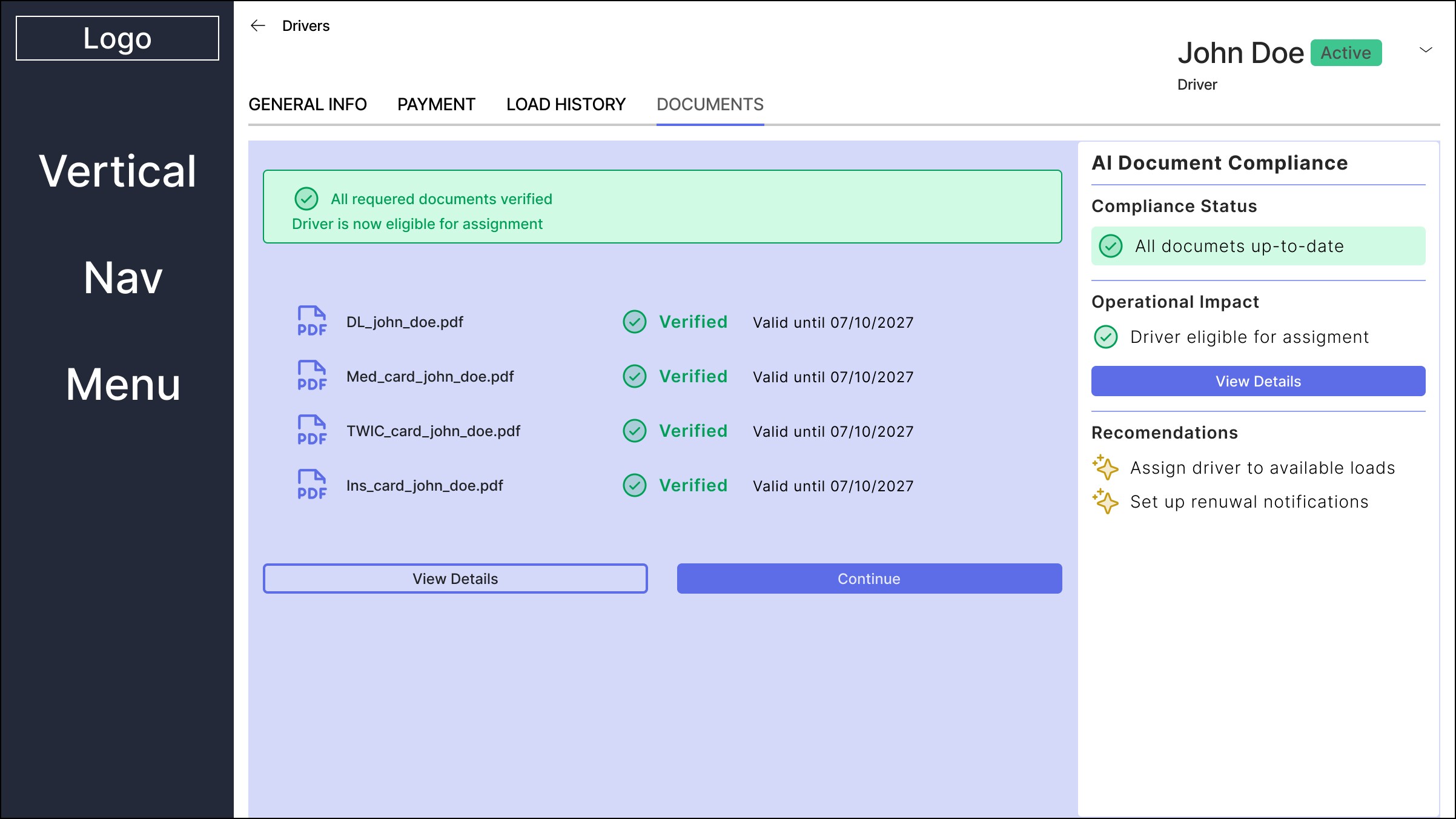
Verified documentation confirms assignment readiness, reducing manual validation and improving operational confidence.

AI guidance in empty states
Proactive system guidance when required documentation is missing
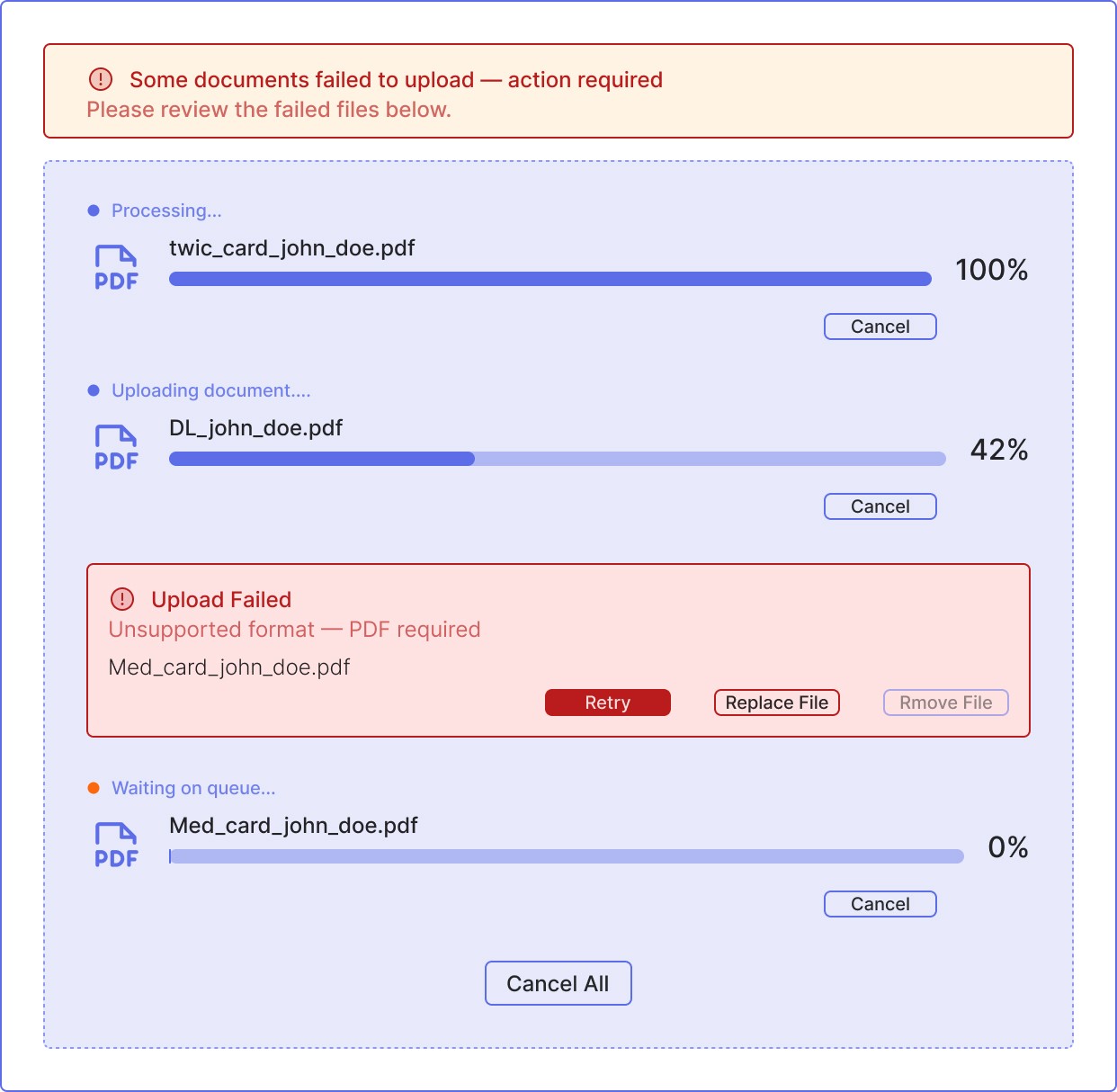
Structured Document Intake Workflow
Centralized document intake, validation, and AI-assisted processing for compliance readiness
Driver Readiness Confirmation
AI-validated compliance status enabling operational readiness and assignment decisions
Implementing the Document Workflow
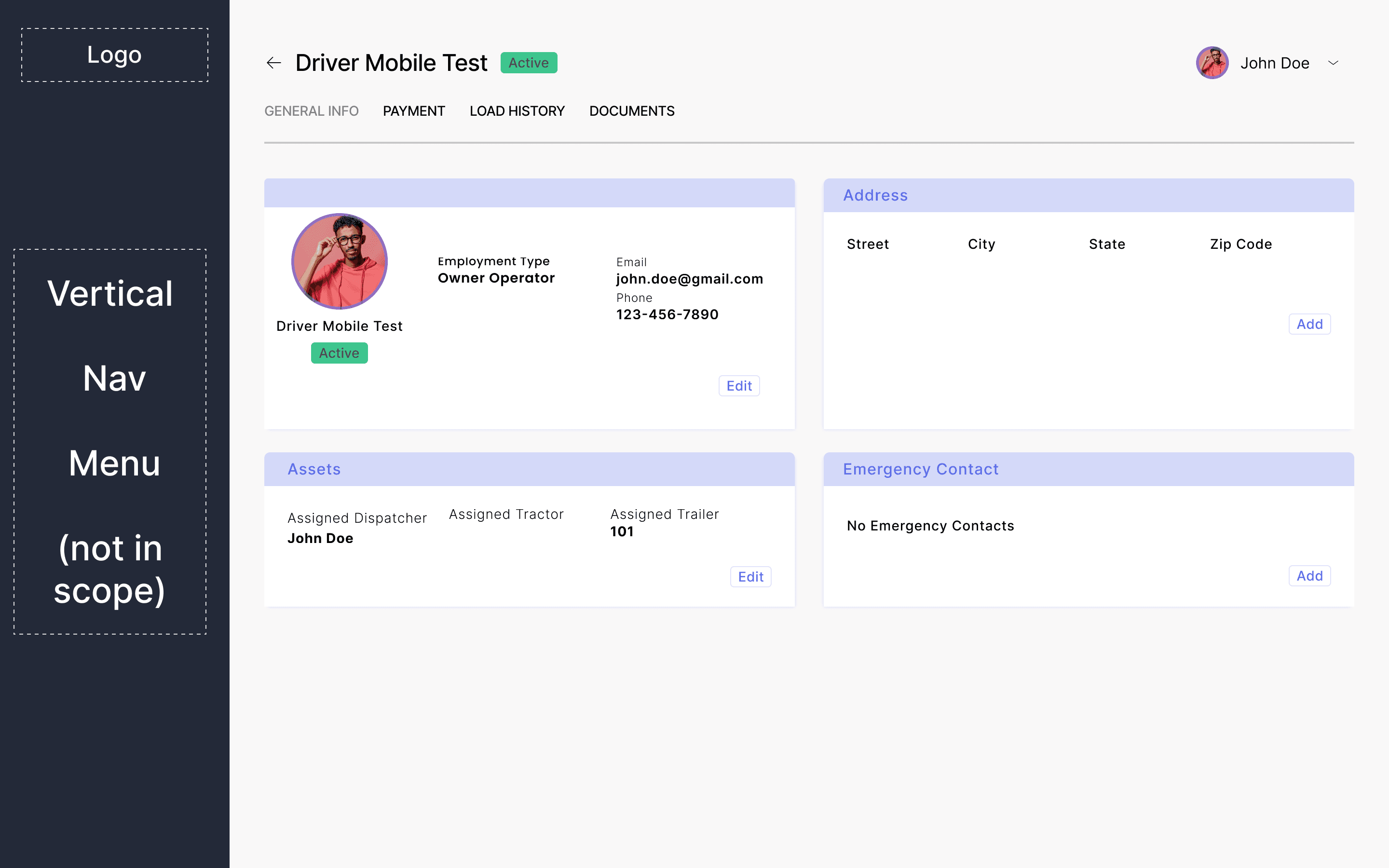
Driver Profile as the Operational Hub
Centralized access to driver data, compliance status, and document workflows within a unified operational context.
The driver profile was transformed into an operational hub, consolidating driver data, compliance status, and document workflows into a single, structured interface.
This approach reduced context switching and enabled users to move directly into document management without losing workflow continuity — improving efficiency across daily operations.
Document Intake & Validation
Centralized upload, validation, and AI-assisted document processing
A structured intake workflow enables drivers to upload and manage documents directly within the driver profile, ensuring accurate association with each record.
The system validates documents and prepares extracted data for review, supporting a consistent verification process and reducing reliance on manual tracking.
Improving Navigation Structure for
Operational Clarity
From overloaded menus to task-based, role-aware navigation
The existing navigation combined driver and dispatcher workflows, creating ambiguity around roles, responsibilities, and task locations.
A task-based grouping approach was introduced to separate workflows, reduce menu depth, and improve scanning efficiency during daily operations.
Navigation improvements were validated with stakeholders as a scalable system enhancement.
Outcome & Strategic Impact
Designing clarity for operational decision-making
Summary
Driver documentation was previously fragmented across the platform, leading to delays, manual verification, and operational uncertainty.
By centralizing document workflows, simplifying navigation, and introducing AI-driven insights, the system now supports proactive compliance management and faster, more confident decisions.
What this design achieved
• Reduced context switching and cognitive load across document workflows
• Improved real-time visibility into compliance status and operational readiness
• Enabled proactive decision-making through AI-assisted risk detection
• Established a scalable foundation for AI-driven compliance operations
Final Product Insight
Operational systems should reduce uncertainty — not just complexity.
Designing for clarity, role awareness, and proactive guidance transforms software from a passive data repository into an intelligent decision-support system.

Designing systems that drive real operational impact
Focused on enterprise workflows, operational platforms, and AI-driven decision support
Currently open to product design roles focused on enterprise platforms and AI-driven products.

© 2025 Dina Lee. All rights reserved.